Apple TV 4K with Siri Remote viewing setup
The photograph identifies Apple TV 4K with Siri Remote. Match the full product name and the device that runs the app before choosing an installer.
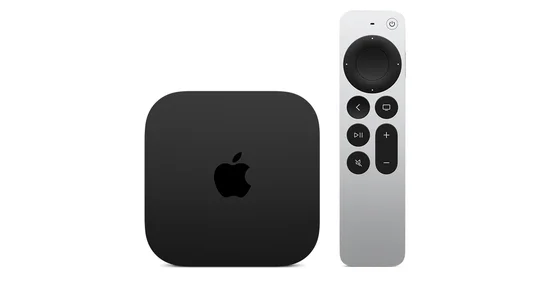
Recognize the hardware
Apple lists two third-generation Apple TV 4K configurations, A2737 for Wi-Fi and A2843 for Wi-Fi with Ethernet. A replacement Siri Remote can be paired to another box, so the remote alone cannot settle which model is on the shelf. The Apple TV app available inside a television is a streaming application and does not make that television an Apple TV 4K box.
To check the player on Apple TV 4K with Siri Remote, begin at Settings, then General and About. Read the model number on the Apple TV box or its About screen. Apple lists A2843 as the third-generation 4K model with Wi-Fi and Ethernet; A2737 is the Wi-Fi model. The Apple TV app on a smart television can show similar branding without giving you a tvOS App Store. Record the installed version while the screen is in front of you. A shop description can name the product family without telling you what software this particular unit runs.
Which box is behind the Siri Remote?
Check Settings, General and About against Apple’s model list. If the household expects a wired comparison, identify whether this model actually has an Ethernet port before changing the router or looking for an adapter. Use the clickpad or directional ring to select a channel, open its guide, then return to the channel you started on. Keyboard input can make initial setup easy while hiding poor navigation on the sofa.
Compare an installed tvOS player with AirPlay from a phone as separate tests. The same film may have a different playback path in each. A result obtained by sending content from an iPhone cannot establish that a particular tvOS app is installed. Keep the outcome with the device name, Apple TV 4K with Siri Remote. If a message appears, write down its wording and the action immediately before it. Someone reading that description can repeat the same step without guessing whether the failure happened at the store, in the player or during playback.
Find the correct installation route
For Apple TV 4K with Siri Remote, the first distribution check concerns Apple TV App Store. Use the App Store on the Apple TV HD or Apple TV 4K. Search with the remote, inspect the developer and compatibility information, then choose the displayed price or Get. A television running the Apple TV streaming app has its own store and install rules. Before accepting a purchase, read the name of the organization charging for it. An application licence, an optional upgrade and a viewing account can have different issuers even when all three appear during one setup.
When Apple TV 4K with Siri Remote reaches the account screen, record the labels before asking for a trial. An Apple Account can authorize an app purchase. The viewing account is entered inside the installed player. Open its own start screen to find out whether it accepts a playlist address or separate account fields. A download on an iPhone does not establish eligibility on tvOS. If the approved player opens with an existing profile, leave it available until you have identified the profile used for the test. A new installation can remove the most helpful point of comparison.
Compare the next device in the room
A useful comparison here is Apple iPhone family. The iPhone product photograph identifies a family of phones. The App Store evaluates the installed iOS version and device compatibility instead of the model’s appearance. Play a channel through the phone’s own speakers, using the network you intend to test. Read the player name and version before opening an AirPlay destination. A phone connected to headphones can also send sound away from the speaker you expect.
The observation to carry over from the comparison is specific to Apple TV 4K with Siri Remote. Test a tvOS installation independently of AirPlay from an iPhone. A local failure and a failed wireless transfer need different details. If the two devices behave differently, record the service you selected, the displayed local time and which player opened it. A new app, a new network and a new account in the same attempt leave several possible explanations.
When the first attempt stalls
An installation question about Apple TV 4K with Siri Remote can begin with the last screen that worked. When you can see programmes in the Apple TV app but have no App Store icon, check which device generated that screen. Use the Siri Remote to open the attached Apple box’s Home screen and look there. Describe the change you made once, then try the same action again. Keep an existing working connection or account intact while checking the one that fails.
A concise message can include “Which box is behind the Siri Remote?” followed by the model, system version, player title and what you saw. Give the first result from the test above as well. Those details are enough to start a conversation without sending a password, a private playlist or a photograph of someone else’s account.
Identify the hardware
| Detail | What to match |
|---|---|
| Product pictured | Apple TV 4K with Siri Remote |
| Device family | Apple TV |
| Other catalogue labels | Apple, Apple TV 4K family; generation unspecified, Apple TV 4K |
Choose the player
Use the box’s App Store to find the exact player. Choose Get or the displayed price, then open it and note the kind of account it asks for.
Open the Apple TV guideQuestions and answers
Which box is behind the Siri Remote? (Apple TV 4K with Siri Remote)
Check Settings, General and About against Apple’s model list. If the household expects a wired comparison, identify whether this model actually has an Ethernet port before changing the router or looking for an adapter.
Illustrated guides