
Getting started
Open the artwork for a closer look.
Continue from Getting started to TREX IPTV plans, apps and a 24-hour trial. when you need the next part of the decision. Watch live TV, films and series with a compatible TREX player.
Browse the complete collection of illustrated TREX guides by subject, from setting up a player to planning annual reseller credits.



Open the artwork for a closer look.
Continue from Getting started to TREX IPTV plans, apps and a 24-hour trial. when you need the next part of the decision. Watch live TV, films and series with a compatible TREX player.
Open the artwork for a closer look.
Continue from Reseller desk to TREX IPTV reseller plans when you need the next part of the decision. Twelve credits fund one annual customer.
Open the artwork for a closer look.
Continue from Troubleshooting to TREX IPTV support when you need the next part of the decision. Choose the symptom that matches your screen, or send the device model, player name and exact message to support.
Open the artwork for a closer look.
Continue from Player setup to Choose your TREX IPTV player when you need the next part of the decision. Trex Pro and Trex IBO have different starting screens.
Open the artwork for a closer look.
Continue from Streaming platforms to Streaming platform directory when you need the next part of the decision. Look up a streaming service, storefront or broadcaster app by name.
Open the artwork for a closer look.
Continue from Broadcasters to TREX IPTV channel list and broadcaster finder when you need the next part of the decision. Looking for a TREX IPTV channel list.
Open the artwork for a closer look.
Continue from Films and series to Film poster index when you need the next part of the decision. Browse the film artwork by title.
Open the artwork for a closer look.
Continue from Language and subtitles to TREX IPTV support when you need the next part of the decision. Choose the symptom that matches your screen, or send the device model, player name and exact message to support.
Open the artwork for a closer look.
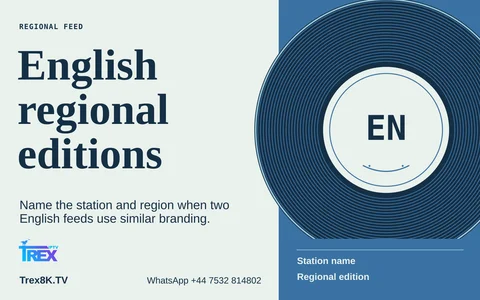
Continue from Around the world to Country viewing guides when you need the next part of the decision. Find your local guide, compare broadcast times and identify the edition of a station you want to watch.
On supported Fire TV devices and apps, the multimedia overlay can show the video being decoded. The section “Read the right panel” deals with the first decision in Which Fire TV playback numbers help identify a picture issue?. Amazon separates System X-Ray, which reports device-level activity, from Advanced Options, which can expose multimedia details in apps using Android MediaCodec.
Under “A number without its label is easy to misread”, you can follow the same question further. Copy field names together with their values and units. The adjoining example gives the context for this part of Which Fire TV playback numbers help identify a picture issue?.
A television can show the same programme by two different routes. The section “Identify the route you selected” deals with the first decision in Casting a player directly versus sharing a Chrome tab. Look at how the session began.
Under “Ask who will control the television later”, you can follow the same question further. Direct playback and tab sharing can put different demands on the sending device. The adjoining example gives the context for this part of Casting a player directly versus sharing a Chrome tab.
Use the one-day trial to answer four practical questions. The section “Start with the evening you actually want to have” deals with the first decision in How to test a TREX IPTV trial at home. Imagine putting the television on after work.
Under “Decide which result still needs an answer”, you can follow the same question further. For sound, use dialogue. The adjoining example gives the context for this part of How to test a TREX IPTV trial at home.
The timeline beneath a live channel can offer a short rewind even when yesterday’s programme is unavailable. The section “Look at where the timeline starts” deals with the first decision in What a live playback window lets you rewind. While a live programme is playing, open its transport controls and note the earliest position the player lets you select.
Under “When the programme listing survives longer than the video”, you can follow the same question further. A rolling live window moves forward as new material arrives. The adjoining example gives the context for this part of What a live playback window lets you rewind.
Use the entries above to move between Getting started and Related reading · What a live playback window lets you rewind. Each linked guide retains the full record, its source and any conditions that affect how to use it.
The collection can answer a small practical question before you even open the corresponding guide. A box marked twelve months identifies a term. A player screen with four viewing categories identifies a place in the installation. A country flag can take you to the local station names and time-zone details that belong with a fixture. Start with one decision you need to make, then choose the family of pictures that carries the relevant evidence.
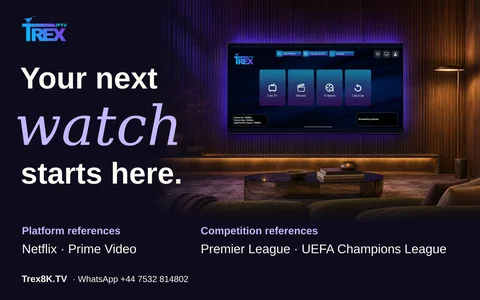
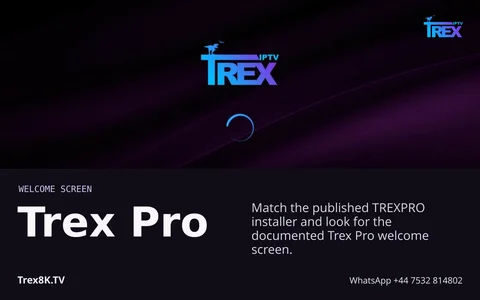
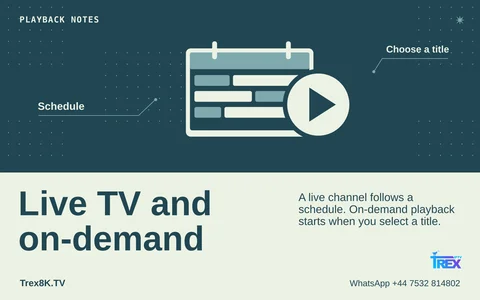
For a first evening of viewing, try the getting-started gallery and the player gallery together. The blue TREX IBO menu has four named choices. Knowing that Live TV is a separate choice from Movies helps explain why a scheduled programme and a film you can start yourself appear in different places. Someone with the Trex Pro welcome screen has reached a different stage. Give that player time to open, then compare the next screen with the guide for the app you actually installed.
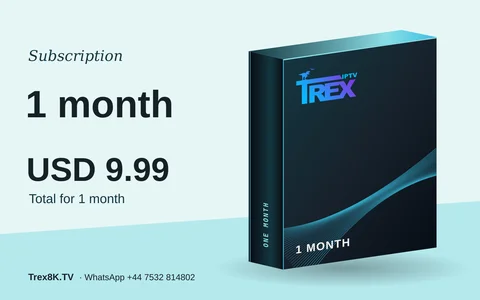
A household choosing a subscription can begin with the full amount printed beside the illustrated box. The one-month image shows USD 9.99 and the twelve-month image shows USD 54.99. Put the dates you intend to watch beside those prices. An annual amount divided by twelve is a way to compare the cost per month. The amount you should expect to discuss when selecting the annual term is the full USD 54.99.
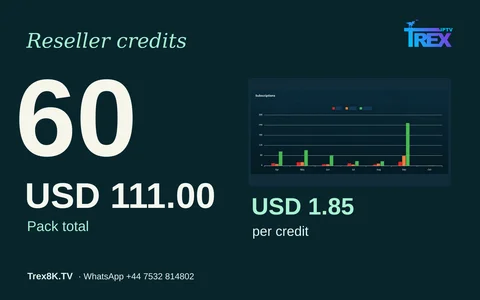
A reseller needs a different comparison. A 120-credit pack costs USD 214.80. Since a year uses twelve customer months, that pack funds ten annual activations when all its credits go to that purpose. You can read USD 1.79 per credit and USD 21.48 per annual activation without having to infer one from the size of a product box. If shorter terms are also due, set aside those months in the running balance before counting how many complete years remain.
When the question involves a familiar film, keep the original title, year or season and the viewing country together. Film and series illustrations lead to the corresponding title guide. If an image depicts a whole series, open its episode list before you settle on a particular season. For sport, substitute the organiser, competition edition and session. Borrowing a team or competition logo from a preview programme is easy. The named session on a dated fixture is a stronger way to identify the actual broadcast you want.
A separate broadcaster gallery is particularly helpful for names like BBC One and BBC News or Sportsnet and Sportsnet One. They share part of the name but have different schedules. Write down a programme that you can recognise and the local time it should begin. If the guide entry appears under a different city or regional edition, check that edition’s own schedule before changing any of the player settings.
Use the landscape link when a figure, compact label or programme row is difficult to read. A separate portrait opens from each card for someone working on a phone. Its information has been arranged for that orientation. If the task is to identify a setting, read the actual control name and copy only that name into the enquiry. Avoid sending a full account screen when the name of one empty field or control conveys what support needs.
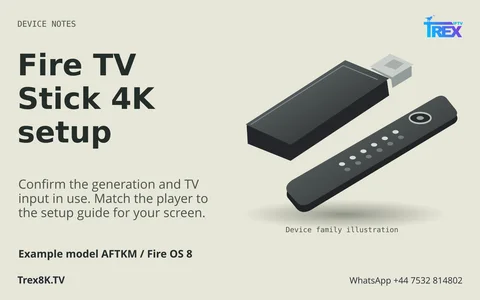
A recurring support question is easier to resolve when the next person can retrace the steps. Say which screen opened, which remote or device you used, what you selected and what happened immediately afterwards. Keep the room photograph or remote illustration separate from a claim about the exact equipment in your own home. The model reported by your device supplies that last piece. Once you can match image, model and observed behaviour, the linked device or support guide becomes a much shorter read.