Mac player setup
A macOS application and an Android package are different distributions. Use a named publisher or Mac App Store listing for the app you intend to run.

Start with the unit you actually use
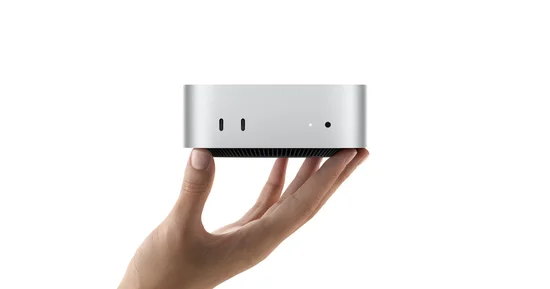
A Mac can send video to a display while sound still comes from the computer or another output. Check the destination used by this Mac before asking the provider to replace a working subscription. On macOS, start at Apple menu and About This Mac. Read the processor or chip and the currently installed macOS release. A visual family name such as Mac mini covers several generations. A publisher might offer separate Intel, Apple silicon or universal builds and list a minimum system version beside them. If the television has a box plugged into HDMI, keep its remote beside the television remote until you can tell which Home button takes you to the intended launcher.
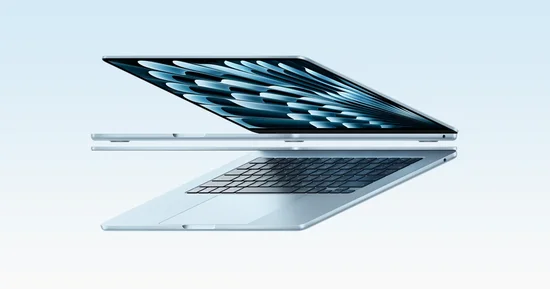
The guide uses Apple MacBook Air as one concrete point of reference. The MacBook Air supplies its own screen, keyboard and speakers. Its built-in display gives a useful point of comparison when a television is reached through an adapter or wireless receiver. Disconnect the optional viewing display for one test. Open the player on the laptop, read the station title and listen through the built-in speakers. When that works, attach the display or select the wireless receiver and try the very same station. Compare the full product designation with the one on your own device. Similar appearance can be enough to find the right family while leaving the release year, operating-system generation or account requirements open.
Install and open an appropriate player
The usual distribution for this family is the Mac App Store or the named desktop publisher. Use the player publisher’s own desktop distribution page, or its matching Mac App Store entry. VideoLAN offers different macOS downloads. Compare the selected build with About This Mac before opening it, and keep the downloaded file distinct from the application you launch afterwards. Look for the opening screen before asking anyone to issue service details. A successful installation answers the hardware and distribution question. The correct form for a viewing account becomes clear once the player presents its own choices.
For a practical check on macOS, find a compatible desktop build, then verify the source and the Mac’s actual display and sound path independently. Test in a normal window on the display connected at the start. Check the selected audio output while it is playing, then try full screen or a second monitor as a separate step. The two tests can reveal different failure points. Repeat the action with the remote, touchscreen or keyboard the household will normally use. Someone completing setup with a different controller may never see the problem that makes everyday viewing difficult.
Two nearby examples
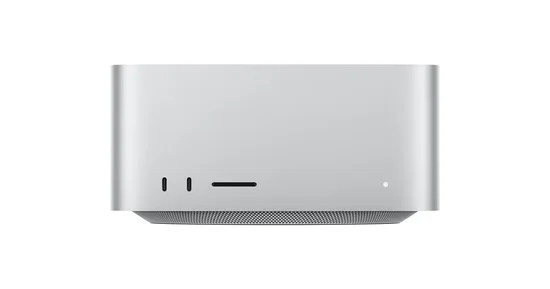
Apple Mac Studio illustrates a different decision. A Mac Studio is a desktop computer connected to a separate display. The product family name alone leaves the chip and installed macOS release open. Open About This Mac and write down the chip. Start the application on the normal desktop monitor, then use macOS Sound settings to see which output is selected. If that monitor carries its own speakers, verify the selected destination before turning the television volume up. Match the visible symptom, screen and input device in that example with your own before carrying over its instructions.
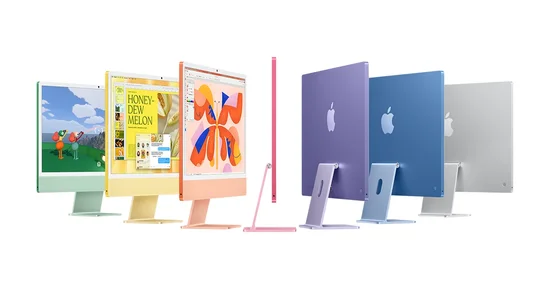
Another useful comparison comes from Apple iMac family. An iMac’s built-in display is part of the computer, so its own desktop is a natural first viewing surface. Apple has used the family name across multiple hardware and macOS generations. Use About This Mac to identify the processor and release, then check the desktop publisher’s requirements. Open the application in a regular window on the iMac. Play an item with recognizable speech before changing output or sizing options. If the image or platform mark resembles your own but its menus differ, record your exact model and system version. One manufacturer can sell machines with several operating systems, especially across markets and product generations.
From first launch to a useful support reply
Once the player opens on macOS, identify the fields it actually offers. A desktop player may open a compatible network playlist, while another player expects separate account fields. VLC’s network-open function needs the address supplied for that purpose. Keep long private playlist URLs out of screenshots, public tickets and screen shares. A support request can describe the labels, the country and the product version while leaving values private. This gives the issuer enough context to choose the right registration or playlist format.
If the installer will not open, report the package name, macOS release and processor family. When the app opens but a playlist does not, describe what type of address it expects. Repeating an installation does little to test an already open player’s network input. When you ask about macOS, give the last screen that worked and the precise action immediately after it. Mention a second screen only if you actually repeated the same test there. A working station on another device can distinguish a local app question from a question about one feed.
Find the player
Check the macOS version and the publisher’s system requirements. Open the installed app and verify the supported account format before entering service details.
The model detail that matters
A working Mac setup does not automatically allow a simultaneous second screen. Confirm the connection allowance on the account.
After the player opens
Look for the login method shown on screen. If it asks for a username and password, request details for that exact player. If it asks for a device key or portal, ask support to confirm the method privately.
Request a device trialIdentified models

Named hardware and model guides
Questions and answers
How do I choose a player for Mac?
A macOS application and an Android package are different distributions. Use a named publisher or Mac App Store listing for the app you intend to run. Check the macOS version and the publisher’s system requirements. Open the installed app and verify the supported account format before entering service details.
Illustrated guides