
Choose a VLC build for an Apple silicon or Intel Mac
Apple’s About This Mac panel tells you which processor family the computer uses. VideoLAN publishes separate Mac downloads and a universal build for VLC.
Read Chip or Processor
Open the Apple menu and choose About This Mac. On an Apple silicon machine, Apple shows a field named Chip. An Intel Mac instead shows Processor. Record the value and your macOS version. Two laptops both sold as MacBook Pro can require different native packages.
On VideoLAN’s Mac download page, compare those details with the system requirements and the choices for Intel, Apple silicon or a universal binary. If another website offers a browser extension or a bundled installer while you are looking for the desktop player, return to the software publisher’s page and read the product name again.
Separate successful installation from successful playback
Open VLC and establish that its own interface loads. If you already have a local video file you are entitled to play, try it first. That small check distinguishes an installation problem from a network playlist or account problem.
For an IPTV setup, ask support which format your account supplies and which one the chosen player accepts. A portal tied to a different device or a short activation code cannot simply be pasted where VLC expects a media address. Keep the full private playlist out of screenshots. The Mac model, VLC version and input method are enough to begin a useful support conversation.
Two Mac download buttons for one player
VideoLAN distinguishes macOS downloads by processor family. A Mac purchased second hand can have an older Intel processor even when its screen and keyboard resemble a more recent Apple silicon model. About This Mac is the quickest starting point. Copy the chip or processor description and macOS release. Read the exact build options on VideoLAN’s own page, then use the download matching that combination. Keep the installer name until the application opens normally.
If VLC opens and plays a local video, a later network-playlist error concerns a different stage. Check the network address supplied for the viewing account instead of fetching the same machine build repeatedly. When supporting a remote owner, ask for the processor family and software release in text rather than a screenshot that includes the serial number.
Put the result in context
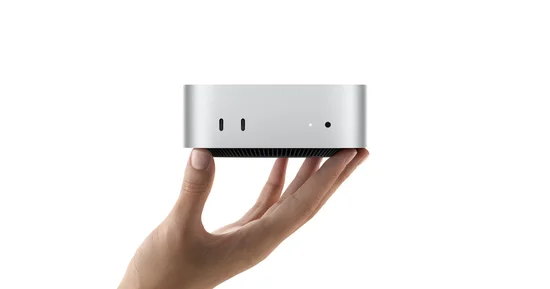
For this macOS question, start with the controls shown on your own device. Read the processor or chip and the currently installed macOS release. A visual family name such as Mac mini covers several generations. A publisher might offer separate Intel, Apple silicon or universal builds and list a minimum system version beside them. What does About This Mac show under Chip or Processor and which VLC build did you choose? Write down the answer alongside the player title. The on-device result distinguishes a local setup issue from something you have only seen in a product image or a guide for a different generation.
A hardware example is Apple MacBook Air. The MacBook Air supplies its own screen, keyboard and speakers. Its built-in display gives a useful point of comparison when a television is reached through an adapter or wireless receiver. Disconnect the optional viewing display for one test. Open the player on the laptop, read the station title and listen through the built-in speakers. When that works, attach the display or select the wireless receiver and try the very same station. In the case described here, the most informative observation is what happens immediately after the action you are testing. Keep the same device and input while reproducing it, so the publisher can recognize which part of the sequence changed.
Preparing a reply the right person can use
Ask “What does About This Mac show under Chip or Processor and which VLC build did you choose?” and include the system release and country with the actual response. Find a compatible desktop build, then verify the source and the Mac’s actual display and sound path independently. If a support agent asks you to describe the account screen, name its visible fields and the button you selected. Those labels communicate the workflow without disclosing the contents of a private account.
Before repeating the test, keep one point of comparison from macOS. A Mac can send video to a display while sound still comes from the computer or another output. Check the destination used by this Mac before asking the provider to replace a working subscription. Compare the same action under the original conditions first. If a second screen behaves differently, identify that device separately, say what it showed and note whether it used the same account and distribution source.
Questions and answers
What identifies an Apple silicon Mac before I choose a player download?
Open About This Mac and read the Chip field. An Intel Mac displays Processor instead. Compare that value and the macOS version with the publisher’s requirements.