
Android mobile player compatibility
Read the Android release and check the publisher’s Google Play listing on the phone or tablet.
Which system owns the store?
The device’s retail name and its installed Android release are separate pieces of information. A maker’s interface or software version can also be displayed in About. Write down Android version itself, especially after restoring a phone or inheriting an older tablet. For Android phones and tablets, the relevant software and version should come from Settings, then About phone or About tablet, followed by Android version. If the same television displays both an attached box and its own Home screen, make the distinction before looking up the player. A result from the wrong store can be perfectly accurate for a different device.
Consider Xiaomi 15 as an example of the identification question. Xiaomi identifies this handset as Xiaomi 15. A similarly branded Xiaomi TV Box uses a television interface and remote even though both products can run Android-related software. The box and phone each need the player edition intended for their own input method. When an instruction names only an app, a streaming service or the television’s panel technology, it leaves the owner of the store unresolved. Look for the operating-system label or the full hardware model before searching again.
Read the publisher’s distribution information
Use Google Play on a device that has the store. Search the full player name, examine its publisher, and read the device-compatibility information. The same Google account can have a phone and a television attached with different installation choices. On Android phones and tablets, search with the complete title and check which publisher supplied it. If the action offered by the store is Open, inspect that existing copy before deleting its profile or trying another installation. Record the title or version as it appears on this device.
The store on Android phones and tablets also has a practical control requirement. Try the app on the phone’s own screen with familiar earphones or speakers. Keep the first test on one network. Once that works you can run a separate casting or mobile-data test and record which part changes. Include which input device you used if an app displays a working interface but leaves an important button unreachable. A phone screenshot cannot answer whether a television can select a control from the sofa.
Compare another system
Android TV provides a useful comparison. An Android television app needs to work with a remote and from a sofa. The Play catalogue that appears for a handset can contain software the television cannot install. Use the brand, model and installed Android TV release to identify the target device. Use a compatible TV edition for remote navigation. A promising phone screenshot gives little evidence about the living-room layout. A player publisher may have made editions for both systems with different login options or prices. Check the listing, installation status and account format separately on every screen you intend to use.
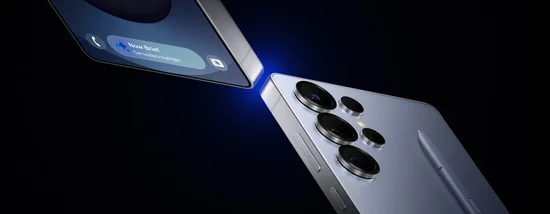
A second reference is Google Pixel phone family. The supplied product photograph identifies the Google Pixel phone family. The product source is a Pixel 9 Pro page. The individual owner’s About phone screen identifies the actual model and Android release. Use the intended mobile player on one network first and leave casting off. Note the station, time and connection. Move to a second connection only after a local result is clear. A change of location can otherwise conceal the original failure. This is why a system question benefits from a particular product name and a reproducible observation. Describing only a brand usually leaves several combinations of hardware, software and store country open.
Identify the handoff to the account issuer
Open the installed mobile player before requesting an account. A touch interface may offer a playlist address, a provider picker or separate account fields. Only the service that issued your account can confirm which form should receive the information. For the Android phones and tablets enquiry, say whether the account prompt appeared inside the installed player or while the store was still authorizing a purchase. A subscription issuer has no control over a missing storefront listing. A store receipt by itself rarely identifies which viewing account has been issued.
One common Android phones and tablets situation is worth checking before anything is removed. An app can cast successfully from one family member’s phone while another phone has trouble opening the same station locally. Test the second phone without casting first. The television cannot diagnose a failed handset login. If the phone returns to the store, look for Open or Update and check the publisher name again. If it opens but no service appears, preserve the app and check the type of account you were given. These two failures start in different places. Keep a working profile available while you collect the system version and player name. The service issuer can then explain how an approved second installation would affect that existing profile.