
HONOR Magic7 Pro player setup
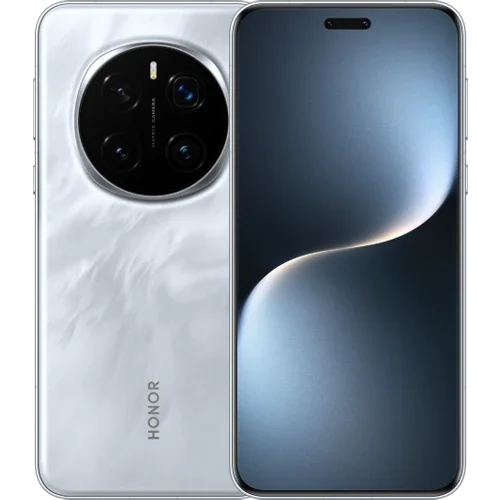
The manufacturer’s product image identifies the HONOR Magic7 Pro. Use the device’s installed Android information and regional store when deciding which mobile player can be installed.
Recognize the hardware
The manufacturer’s product image identifies the HONOR Magic7 Pro. Use the device’s installed Android information and regional store when deciding which mobile player can be installed. HONOR and OPPO use their own interfaces. The actual Android version and app publisher remain the reliable comparison points.
To check the player on HONOR Magic7 Pro, begin at Settings, then About phone or About tablet, followed by Android version. The device’s retail name and its installed Android release are separate pieces of information. A maker’s interface or software version can also be displayed in About. Write down Android version itself, especially after restoring a phone or inheriting an older tablet. Record the installed version while the screen is in front of you. A shop description can name the product family without telling you what software this particular unit runs.
Does the mobile player stay open when another app takes focus?
Start one channel on the handset, then return to Home and reopen the player. If it starts over, note whether it remembers the selected source. This is a practical check on a phone used for messages during a live event, especially before blaming a service login. Try the app on the phone’s own screen with familiar earphones or speakers. Keep the first test on one network. Once that works you can run a separate casting or mobile-data test and record which part changes.
If the issue happens only after another app has been opened, quote that sequence. If the channel never started locally, report the earlier stage and the player version instead. A list of applications open on the phone usually gives support less useful detail. Keep the outcome with the device name, HONOR Magic7 Pro. If a message appears, write down its wording and the action immediately before it. Someone reading that description can repeat the same step without guessing whether the failure happened at the store, in the player or during playback.
Find the correct installation route
For HONOR Magic7 Pro, the first distribution check concerns Google Play on the handset. Use Google Play on a device that has the store. Search the full player name, examine its publisher, and read the device-compatibility information. The same Google account can have a phone and a television attached with different installation choices. Before accepting a purchase, read the name of the organization charging for it. An application licence, an optional upgrade and a viewing account can have different issuers even when all three appear during one setup.
When HONOR Magic7 Pro reaches the account screen, record the labels before asking for a trial. Open the installed mobile player before requesting an account. A touch interface may offer a playlist address, a provider picker or separate account fields. Only the service that issued your account can confirm which form should receive the information. If the approved player opens with an existing profile, leave it available until you have identified the profile used for the test. A new installation can remove the most helpful point of comparison.
Reproduce an interruption on the handset itself
Begin with the Magic7 Pro’s normal player window, the screen unlocked and the phone resting where the controls are visible. Select a familiar station. If playback runs until a call, a lock or a switch to another app, record which interruption happened first. Those events test different parts of a mobile player’s ability to return to an active session.
Repeat just the interruption you actually observed. For instance, lock and unlock the screen without moving between Wi-Fi and mobile data. Note whether the app returns to the programme, shows its home menu, asks for the account again or stays on a still image with continuing sound. These are observations a publisher can reproduce on the named phone.
If the player asks for another sign-in on every return, check the version from its app information page and report what happened to the earlier profile. Avoid changing battery or account settings before that first controlled repeat. A screenshot of a HONOR product photograph identifies the handset family. It cannot show a running player’s behaviour after an interruption.
When the first attempt stalls
An installation question about HONOR Magic7 Pro can begin with the last screen that worked. If the phone returns to the store, look for Open or Update and check the publisher name again. If it opens but no service appears, preserve the app and check the type of account you were given. These two failures start in different places. Describe the change you made once, then try the same action again. Keep an existing working connection or account intact while checking the one that fails.
A concise message can include “Does the mobile player stay open when another app takes focus?” followed by the model, system version, player title and what you saw. Give the first result from the test above as well. Those details are enough to start a conversation without sending a password, a private playlist or a photograph of someone else’s account.
Questions and answers
Does the mobile player stay open when another app takes focus? (HONOR Magic7 Pro)
Start one channel on the handset, then return to Home and reopen the player. If it starts over, note whether it remembers the selected source. This is a practical check on a phone used for messages during a live event, especially before blaming a service login.