
Choose the right MAG setup for a playlist or external portal
Infomir documents a playlist inside the embedded portal and an external operator portal as two different routes on its Linux and WebKit set-top boxes. Start with the account information you received.
If you have an M3U file or playlist address
Infomir’s embedded portal provides an IPTV channels list. Its documentation describes importing external M3U entries from a network address, a shared resource or removable storage. A file and a URL can both supply a list, but they are entered through different options. Follow the instructions for the system on your specific model.
Before changing an existing list, inspect what is already present. Record the name of the working source privately, and find out whether the import option appends or replaces entries. A test should leave the household able to return to the setup it already uses.
If you have a portal address
An external portal loads the operator’s interface on the set-top box. Ask the account provider to confirm that your device model and subscription are authorized for that portal. The box manufacturer supplies hardware information. The service provider handles the account and its available content.
If the screen opens into a provider menu but one channel fails, describe that channel and local time. If the box never reaches the provider menu, give support the model and the point where startup stopped. Cover device identifiers and private portal details in material shared outside the account conversation.
A working receiver with a second service to add
An existing MAG may already open a provisioned external portal automatically. Replacing that address to try a separate playlist can interrupt the service already in use. First identify whether the new service is a portal or a local playlist source. Ask its issuer what format was supplied and read the exact receiver model. Use Infomir’s embedded-portal guidance for the matching task. Keep any established portal intact while confirming how the operator wants the second source set up.
Reaching the embedded menu proves the receiver can display its local interface. Reaching an external provider’s menu is a second checkpoint. Seeing actual programmes after selecting a station is a third. Record the first point that did not work. For a device-linked service, ask privately about a receiver change before trying to move a working portal to a second box.
Put the result in context
For this Infomir MAG question, start with the controls shown on your own device. Compare the full MAG model and its software family with Infomir’s documentation. MAG544 and MAG544w3 are documented Linux receivers. Infomir also sells products with other operating systems, so the word MAG on a case is only the first part of the identification. Does the receiver stop at the embedded portal, the external provider’s screen or playback? Write down the answer alongside the player title. The on-device result distinguishes a local setup issue from something you have only seen in a product image or a guide for a different generation.
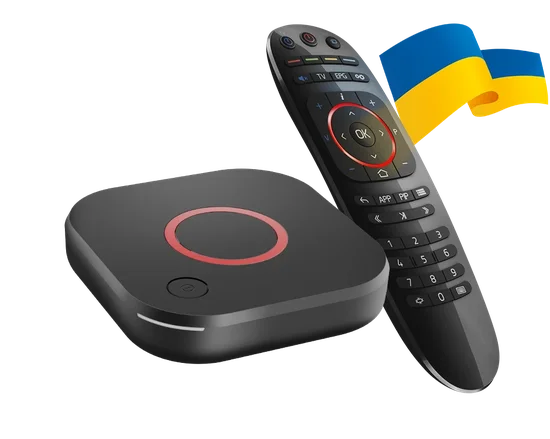
A hardware example is Infomir MAG544 series with remote. Infomir’s MAG544 and MAG544w3 belong to its Linux set-top-box range and support HEVC. A guide teaching Android installation on a different MAG family does not identify the setup for these models. Start at the embedded portal, where the local menus are visible before an external service has connected. Look at the type of source the provider gave you. Keep the existing portal settings while confirming whether the new account uses a playlist or an external portal. In the case described here, the most informative observation is what happens immediately after the action you are testing. Keep the same device and input while reproducing it, so the publisher can recognize which part of the sequence changed.
Preparing a reply the right person can use
Ask “Does the receiver stop at the embedded portal, the external provider’s screen or playback?” and include the system release and country with the actual response. Agree the embedded or external portal route with the operator before changing any known working address. If a support agent asks you to describe the account screen, name its visible fields and the button you selected. Those labels communicate the workflow without disclosing the contents of a private account.
Before repeating the test, keep one point of comparison from Infomir MAG. A home might also have a mobile Android app that resembles a MAG portal. The native receiver and an emulator can require different provisioning even when their menus look familiar. Compare the same action under the original conditions first. If a second screen behaves differently, identify that device separately, say what it showed and note whether it used the same account and distribution source.
Questions and answers
Are an M3U playlist and an external portal the same input on a MAG set-top box?
Infomir documents M3U import in the embedded portal’s channel list. An external portal loads the operator’s own interface. Ask which method was provisioned for your box.