
Choose AirPlay video or screen mirroring on an iPhone
AirPlay can send a video from a supported app, or mirror the iPhone or iPad screen. Choose the path that matches what you want the television to show.
Send just the programme
Connect the phone or tablet and the compatible receiving TV, Apple TV or Mac to the same Wi-Fi network. Play the video and look for the app’s AirPlay control. In some apps that control sits behind another button. Select the receiver by its device name. If the receiving screen displays a code, use it on the sending device when prompted.
A successful local picture confirms that the phone can play the source. If a particular video app does not offer AirPlay, check the publisher’s support and the App Store on the Apple TV for a native edition. Apple notes that support can vary between video apps.
Mirror the whole screen when that is what you need
Use Screen Mirroring in Control Center to choose a compatible receiver. This mode can display more of the phone interface than a video-only handoff. Close private messages or account screens before demonstrating a setup to someone else.
For a playback problem, record which route you used and whether a receiver appeared. A support message saying “AirPlay button selected, TV listed, picture stayed on the phone” gives a different starting point from “Screen Mirroring showed no devices.” Include the player and receiver model while leaving account credentials and temporary codes private.
A television may mirror the phone without supporting the same in-app action
AirPlay video and Screen Mirroring use different controls. First identify whether you selected the AirPlay option inside the player or chose Screen Mirroring from Control Centre. That distinction can explain why the phone and TV show different behavior. Run a known item on the iPhone itself. Open the available transfer control and choose the intended Apple TV or AirPlay-compatible television. If no video option is shown by that app, record what the app actually offers rather than assuming it supports both routes.
If a home screen mirrors but the programme does not transfer, the receiving television is at least being discovered. The player’s video-output support and the specific programme still need their own check. Report the precise route tried. An installed tvOS player is a third path. A successful AirPlay session alone cannot confirm that it has been installed.
Put the result in context
For this iPhone and iOS question, start with the controls shown on your own device. The iPhone model and iOS version can be checked together under About. An available app may require a later software release than the one on the phone. Take the installed version to the compatibility section of the actual App Store listing. Did you start AirPlay inside the player or choose Screen Mirroring in Control Centre? Write down the answer alongside the player title. The on-device result distinguishes a local setup issue from something you have only seen in a product image or a guide for a different generation.
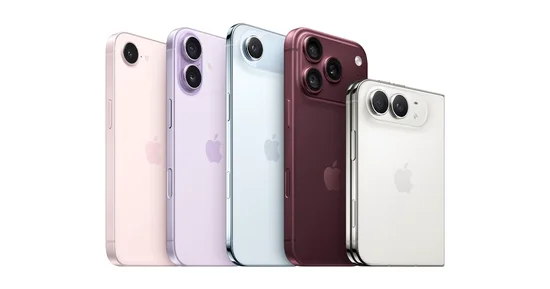
A hardware example is Apple iPhone family. The iPhone product photograph identifies a family of phones. The App Store evaluates the installed iOS version and device compatibility instead of the model’s appearance. Play a channel through the phone’s own speakers, using the network you intend to test. Read the player name and version before opening an AirPlay destination. A phone connected to headphones can also send sound away from the speaker you expect. In the case described here, the most informative observation is what happens immediately after the action you are testing. Keep the same device and input while reproducing it, so the publisher can recognize which part of the sequence changed.
Preparing a reply the right person can use
Ask “Did you start AirPlay inside the player or choose Screen Mirroring in Control Centre?” and include the system release and country with the actual response. Separate mobile playback from an AirPlay, Bluetooth or external-display problem by making one change at a time. If a support agent asks you to describe the account screen, name its visible fields and the button you selected. Those labels communicate the workflow without disclosing the contents of a private account.
Before repeating the test, keep one point of comparison from iPhone and iOS. A phone is a useful travel test when the hotel television has an unfamiliar store. Open the iPhone player first, then decide whether wireless transfer to the television is even being offered. Compare the same action under the original conditions first. If a second screen behaves differently, identify that device separately, say what it showed and note whether it used the same account and distribution source.
Questions and answers
What should I specify when an AirPlay attempt fails?
State whether you selected AirPlay within the video app or Screen Mirroring in Control Center, whether the receiver appeared, and where the picture actually played.