
Amazon Fire tablet player setup
Check the Fire tablet generation and Amazon Appstore listing before choosing a player.
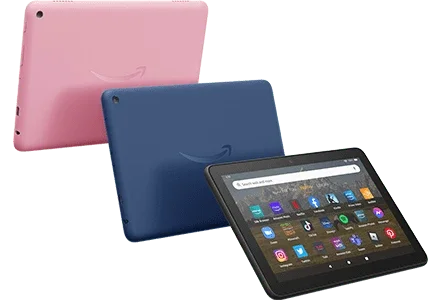
Start with the unit you actually use
A family can have a Fire tablet and an Amazon stick on the same network and Amazon account. Looking up the device in the store prevents an app being purchased for the television when the intended viewer is holding the tablet. On Amazon Fire tablets, start at Device Options in tablet Settings and the model information. Amazon’s Fire tablets have their own hardware generations and application catalogue. A Fire HD display diagonal and a Fire TV retail name describe different products. Read the tablet generation and the software release before asking about a compatible touch player. If the television has a box plugged into HDMI, keep its remote beside the television remote until you can tell which Home button takes you to the intended launcher.
The guide uses Fire HD 8 (2022, 12th Gen) as one concrete point of reference. Amazon records KFRAWI for the 2 GB variant and KFRAPWI for the 3 GB variant of this Fire HD 8 generation. A later 2024 HD 8 listing also includes a KFRAPWI configuration. Record the release year, internal memory variant and generation alongside the model shown in Settings. If one tablet belongs to a child profile and the other an adult, compare the available store in the intended profile before drawing conclusions about a player. Compare the full product designation with the one on your own device. Similar appearance can be enough to find the right family while leaving the release year, operating-system generation or account requirements open.
Install and open an appropriate player
The usual distribution for this family is the Amazon Appstore on the Fire tablet. Use the Amazon store on the tablet and check the listing on the actual device. Match the listed publisher and whether the app is intended for touch. A Fire TV app whose menus rely on a directional remote may be unsuitable even if the two products share a Fire OS number. Look for the opening screen before asking anyone to issue service details. A successful installation answers the hardware and distribution question. The correct form for a viewing account becomes clear once the player presents its own choices.
For a practical check on Amazon Fire tablets, read Amazon’s tablet generation and judge the touch interface on its own display before adding any casting equipment. Play a station through the tablet’s own speakers first. Rotate the display if you normally watch in landscape, then try the guide and its back action with touch. A player that opens but loses controls on rotation needs a different report from a failed login. Repeat the action with the remote, touchscreen or keyboard the household will normally use. Someone completing setup with a different controller may never see the problem that makes everyday viewing difficult.
Two nearby examples
Fire HD 8 (2024, 12th Gen) illustrates a different decision. The later 2024 Fire HD 8 is still classed as twelfth generation. Amazon lists KFRAPWI for a 3 GB configuration and KFRASWI for a 4 GB one. Check the year and memory variant in your purchase information or device details. Keep the entire model string when asking about a particular player. The older 2022 table also uses KFRAPWI for one configuration, so that code alone can leave the question open. Match the visible symptom, screen and input device in that example with your own before carrying over its instructions.
Another useful comparison comes from Fire Max 11 (2023, 13th Gen). Fire Max 11 carries model KFSNWI. Amazon specifies a 2000 × 1200 display, 4 GB of RAM and 64 GB or 128 GB of internal storage. Select a channel on the built-in display, note which group it belongs to, then turn the tablet to the orientation used in its stand. Check whether the guide follows that same channel. This reproduces a real tablet interaction without adding an external receiver. If the image or platform mark resembles your own but its menus differ, record your exact model and system version. One manufacturer can sell machines with several operating systems, especially across markets and product generations.
From first launch to a useful support reply
Once the player opens on Amazon Fire tablets, identify the fields it actually offers. Open the player while the tablet is using the intended household profile. If it asks for a service address or subscription, obtain that from the service account contact. The Amazon account used for the app purchase is a separate relationship. A support request can describe the labels, the country and the product version while leaving values private. This gives the issuer enough context to choose the right registration or playlist format.
If the player store result is absent on the tablet but present on a living-room Fire TV, retain both model names. Ask the publisher about its tablet edition. A remote-oriented package and a tablet interface can have different availability. When you ask about Amazon Fire tablets, give the last screen that worked and the precise action immediately after it. Mention a second screen only if you actually repeated the same test there. A working station on another device can distinguish a local app question from a question about one feed.