
Fire HD 10 (2023, 13th Gen) player setup
The 2023 Fire HD 10 uses model KFTUWI. Amazon’s tablet specification lists 3 GB of RAM and 32 GB or 64 GB of internal storage, alongside Fire OS 8 and API level 30.
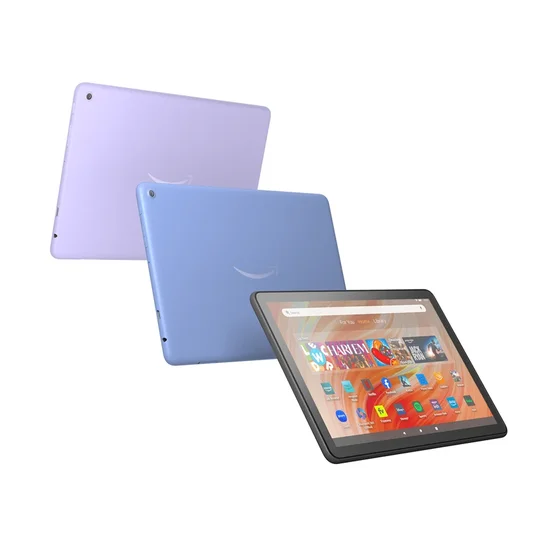
Recognize the hardware
The 2023 Fire HD 10 uses model KFTUWI. Amazon’s tablet specification lists 3 GB of RAM and 32 GB or 64 GB of internal storage, alongside Fire OS 8 and API level 30. The two tablets share the thirteenth-generation label, but Amazon gives each a separate build model and screen.
To check the player on Fire HD 10 (2023, 13th Gen), begin at Device Options in tablet Settings and the model information. Amazon’s Fire tablets have their own hardware generations and application catalogue. A Fire HD display diagonal and a Fire TV retail name describe different products. Read the tablet generation and the software release before asking about a compatible touch player. Record the installed version while the screen is in front of you. A shop description can name the product family without telling you what software this particular unit runs.
Does the application have a tablet-friendly channel guide?
Open the player on the ten-inch tablet itself. Try touching a channel row in portrait, rotate to landscape and reopen the guide. Since this tablet shares an operating-system family with other Fire products, the touch test tells you something the OS label alone cannot. Play a station through the tablet’s own speakers first. Rotate the display if you normally watch in landscape, then try the guide and its back action with touch. A player that opens but loses controls on rotation needs a different report from a failed login.
If an empty list appears after changing household profiles, check which Amazon profile reopened the app. Keep a screenshot of the empty guide only after removing personal details. Installation success and a working playlist are different checkpoints. Keep the outcome with the device name, Fire HD 10 (2023, 13th Gen). If a message appears, write down its wording and the action immediately before it. Someone reading that description can repeat the same step without guessing whether the failure happened at the store, in the player or during playback.
Find the correct installation route
For Fire HD 10 (2023, 13th Gen), the first distribution check concerns the Amazon Appstore on the Fire tablet. Use the Amazon store on the tablet and check the listing on the actual device. Match the listed publisher and whether the app is intended for touch. A Fire TV app whose menus rely on a directional remote may be unsuitable even if the two products share a Fire OS number. Before accepting a purchase, read the name of the organization charging for it. An application licence, an optional upgrade and a viewing account can have different issuers even when all three appear during one setup.
When Fire HD 10 (2023, 13th Gen) reaches the account screen, record the labels before asking for a trial. Open the player while the tablet is using the intended household profile. If it asks for a service address or subscription, obtain that from the service account contact. The Amazon account used for the app purchase is a separate relationship. If the approved player opens with an existing profile, leave it available until you have identified the profile used for the test. A new installation can remove the most helpful point of comparison.
Compare the next device in the room
A useful comparison here is Fire Max 11 (2023, 13th Gen). Fire Max 11 carries model KFSNWI. Amazon specifies a 2000 × 1200 display, 4 GB of RAM and 64 GB or 128 GB of internal storage. Select a channel on the built-in display, note which group it belongs to, then turn the tablet to the orientation used in its stand. Check whether the guide follows that same channel. This reproduces a real tablet interaction without adding an external receiver.
The observation to carry over from the comparison is specific to Fire HD 10 (2023, 13th Gen). Read Amazon’s tablet generation and judge the touch interface on its own display before adding any casting equipment. If the two devices behave differently, record the service you selected, the displayed local time and which player opened it. A new app, a new network and a new account in the same attempt leave several possible explanations.
When the first attempt stalls
An installation question about Fire HD 10 (2023, 13th Gen) can begin with the last screen that worked. If the player store result is absent on the tablet but present on a living-room Fire TV, retain both model names. Ask the publisher about its tablet edition. A remote-oriented package and a tablet interface can have different availability. Describe the change you made once, then try the same action again. Keep an existing working connection or account intact while checking the one that fails.
A concise message can include “Does the application have a tablet-friendly channel guide?” followed by the model, system version, player title and what you saw. Give the first result from the test above as well. Those details are enough to start a conversation without sending a password, a private playlist or a photograph of someone else’s account.
The tablet has space on paper but the download stops
The 2023 HD 10’s quoted storage choices describe new hardware. If an installation reports insufficient space, read available internal storage on this tablet with its current profile active. A long video downloaded for a journey can change that figure substantially. Keep personal photos and offline titles in place while you establish which storage location the installer needs.
Once the app opens, try returning to the library after one short selection. A problem selecting a control near the bottom of the ten-inch display can depend on orientation, the on-screen keyboard or the application layout. Tell the publisher which orientation exposed the control and whether the keyboard was open.
Questions and answers
Does the application have a tablet-friendly channel guide? (Fire HD 10 (2023, 13th Gen))
Open the player on the ten-inch tablet itself. Try touching a channel row in portrait, rotate to landscape and reopen the guide. Since this tablet shares an operating-system family with other Fire products, the touch test tells you something the OS label alone cannot.