Trex8K.TV
Directory

Streaming and sports logo atlas

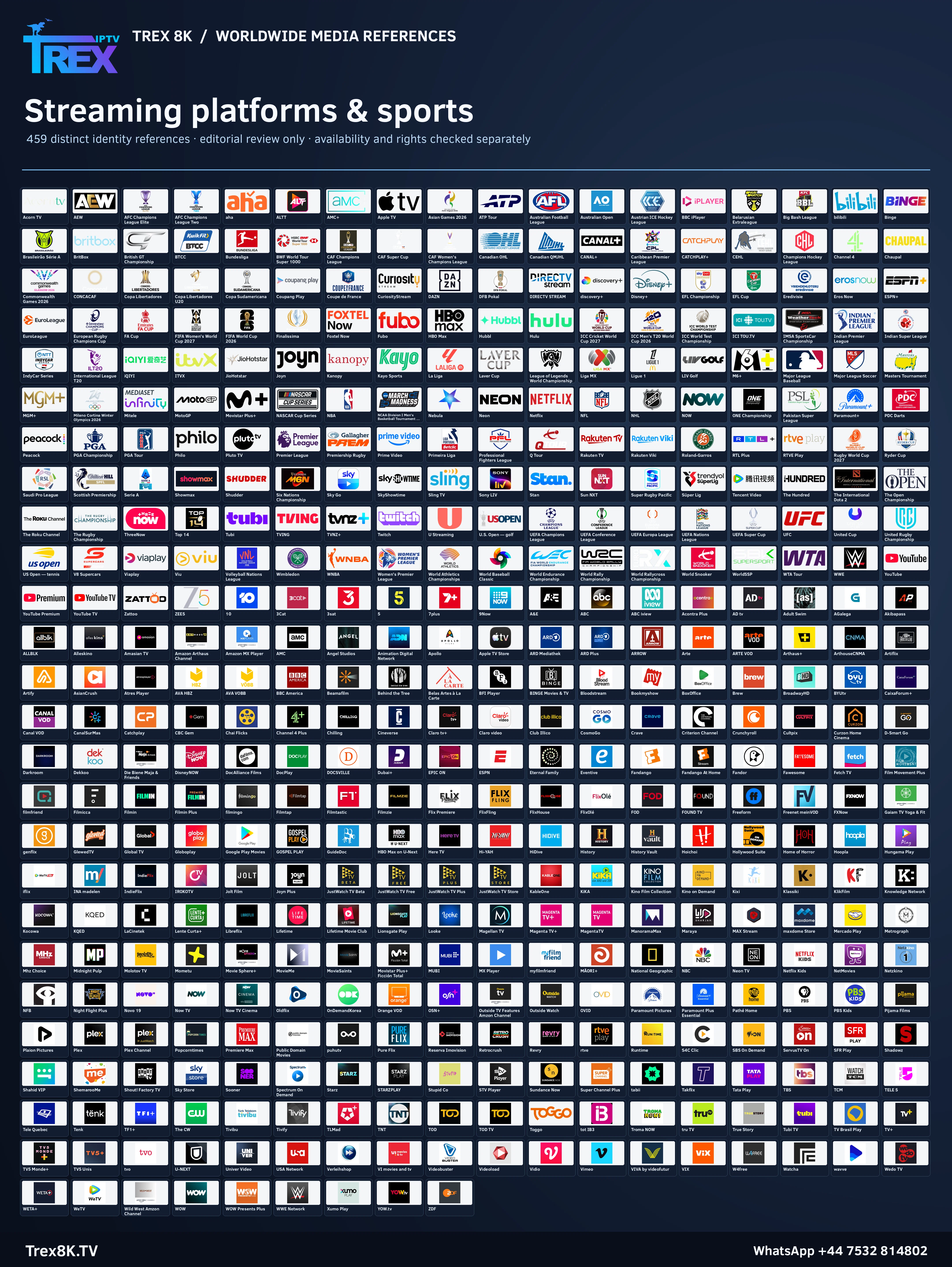
Explore the complete 459-name atlas, including streaming platforms, sports bodies and competitions.

Streaming and sports logo atlas

The complete atlas

Streaming platform, broadcaster and sports competition logos arranged by name.
Open the poster to see the logos at full size. Choose a name below for its guide.

TREX on screen

TREX player interface surrounded by streaming and sports logos.

Find an identity

103Cat3sat57plus9NowA&EABCABC iviewAcontra PlusAcorn TVAD tvAdult SwimAEWAFC Champions League EliteAFC Champions League TwoAGalegaahaAkibapassALLBLKAlleskinoALTTAmasian TVAmazon Arthaus ChannelAmazon MX PlayerAMCAMC+Angel StudiosAnimation Digital NetworkApolloApple TVApple TV StoreARD MediathekARD PlusARROWArteARTE VODArthaus+ArthouseCNMAArtiflixArtifyAsian Games 2026AsianCrushATP TourAtres PlayerAustralian Football LeagueAustralian OpenAustrian ICE Hockey LeagueAVA HBZAVA VOBBBBC AmericaBBC iPlayerBeamafilmBehind the TreeBelarusian ExtraleagueBelas Artes à La CarteBFI PlayerBig Bash LeaguebilibiliBingeBINGE Movies & TVBloodstreamBookmyshowBoxOfficeBrasileirão Série ABrewBritBoxBritish GT ChampionshipBroadwayHDBTCCBundesligaBWF World Tour Super 1000BYUtvCAF Champions LeagueCAF Super CupCAF Women's Champions LeagueCaixaForum+Canadian OHLCanadian QMJHLCanal VODCANAL+CanalSurMasCaribbean Premier LeagueCatchplayCATCHPLAY+CBC GemCEHLChai FlicksChampions Hockey LeagueChannel 4Channel 4 PlusChaupalChillingCineverseClaro tv+Claro videoClub IllicoCommonwealth Games 2026CONCACAFCopa LibertadoresCopa Libertadores U20Copa SudamericanaCosmoGoCoupang PlayCoupe de FranceCraveCriterion ChannelCrunchyrollCultpixCuriosityStreamCurzon Home CinemaD-Smart GoDarkroomDAZNDekkooDFB PokalDie Biene Maja & FriendsDIRECTV STREAMdiscovery+Disney+DisneyNOWDocAlliance FilmsDocPlayDOCSVILLEDubai+EFL ChampionshipEFL CupEPIC ONEredivisieEros NowESPNESPN+Eternal FamilyEuroLeagueEuropean Rugby Champions CupEventiveFA CupFandangoFandango At HomeFandorFawesomeFetch TVFIFA Women's World Cup 2027FIFA World Cup 2026Film Movement PlusfilmfriendFilmiccaFilminFilmin PlusfilmingoFilmtapFilmtasticFilmzieFinalissimaFlix PremiereFlixFlingFlixHouseFlixOléFODFOUND TVFoxtel NowFreeformFreenet meinVODFuboFXNowGaiam TV Yoga & FitgenflixGlewedTVGlobal TVGloboplayGoogle Play MoviesGOSPEL PLAYGuideDocHBO MaxHBO Max on U-NextHere TVHi-YAHHiDiveHistoryHistory VaultHoichoiHollywood SuiteHome of HorrorHooplaHubblHuluHungama PlayICC Cricket World Cup 2027ICC Men's T20 World Cup 2026ICC World Test ChampionshipICI TOU.TViflixIMSA SportsCar ChampionshipINA madelenIndian Premier LeagueIndian Super LeagueIndieFlixIndyCar SeriesInternational League T20iQIYIIROKOTVITVXJioHotstarJolt FilmJoynJoyn PlusJustWatch TV BetaJustWatch TV FreeJustWatch TV PlusJustWatch TV StoreKableOneKanopyKayo SportsKiKAKino Film CollectionKino on DemandKixiKlassikiKlikFilmKnowledge NetworkKocowaKQEDLa LigaLaCinetekLaver CupLeague of Legends World ChampionshipLente Curta+LibreflixLifetimeLifetime Movie ClubLiga MXLigue 1Lionsgate PlayLIV GolfLookeM6+Magellan TVMagenta TV+MagentaTVMajor League BaseballMajor League SoccerManoramaMaxMarayaMasters TournamentMAX Streammaxdome StoreMercado PlayMetrographMGM+Mhz ChoiceMidnight PulpMilano Cortina Winter Olympics 2026MiteleMolotov TVMometuMotoGPMovie Sphere+MovieMeMovieSaintsMovistar Plus+Movistar Plus+ Ficción Total MUBIMX PlayermyfilmfriendMĀORI+NASCAR Cup SeriesNational GeographicNBANBCNCAA Division I Men's Basketball Tournament — March MadnessNebulaNeonNeon TVNetflixNetflix KidsNetMoviesNetzkinoNFBNFLNHLNight Flight PlusNovo 19NOWNow TVNow TV CinemaOldflixOnDemandKoreaONE ChampionshipOrange VODOSN+Outside TV Features Amzon ChannelOutside WatchOVIDPakistan Super LeagueParamount PicturesParamount Plus EssentialParamount+Pathé HomePBSPBS KidsPDC DartsPeacockPGA ChampionshipPGA TourPhiloPijama FilmsPlaion PicturesPlexPlex ChannelPluto TVPopcorntimesPremier LeaguePremiere MaxPremiership RugbyPrime VideoPrimeira LigaProfessional Fighters LeaguePublic Domain MoviespuhutvPure FlixQ TourRakuten TVRakuten VikiReserva ImovisionRetrocrushRevryRoland-GarrosRTL PlusrtveRTVE PlayRugby World Cup 2027RuntimeRyder CupS4C ClicSaudi Pro LeagueSBS On DemandScottish PremiershipSerie AServusTV OnSFR PlayShadowzShahid VIPShemarooMeShout! Factory TVShowmaxShudderSix Nations ChampionshipSky GoSky StoreSkyShowtimeSling TVSony LIVSoonerSpectrum On DemandStanStarzSTARZPLAYStupid CoSTV PlayerSun NXTSundance NowSuper Channel PlusSuper Rugby PacificSüper LigtabiiTakflixTata PlayTBSTCMTELE 5Tele QuebecTencent VideoTenkTF1+The CWThe HundredThe International Dota 2The Open ChampionshipThe Roku ChannelThe Rugby ChampionshipThreeNowTivibuTivifyTLMadTNTTODTOD TVToggoTop 14tot IB3Troma NOWtru TVTrue StoryTubiTubi TVTV Brasil PlayTV+TV5 Monde+TV5 UnisTVINGTVNZ+tvoTwitchU StreamingU-NEXTU.S. Open — golfUEFA Champions LeagueUEFA Conference LeagueUEFA Europa LeagueUEFA Nations LeagueUEFA Super CupUFCUnited CupUnited Rugby ChampionshipUniver VideoUS Open — tennisUSA NetworkV8 SupercarsVerleihshopVI movies and tvViaplayVideobusterVideoloadVidioVimeoViuVIVA by videofuturVIX Volleyball Nations LeagueW4freeWatchawavveWedo TVWETA+WeTVWild West Amzon ChannelWimbledonWNBAWomen's Premier LeagueWorld Athletics ChampionshipsWorld Baseball ClassicWorld Endurance ChampionshipWorld Rally ChampionshipWorld Rallycross ChampionshipWorld SnookerWorldSSPWOWWOW Presents PlusWTA TourWWEWWE NetworkXumo PlayYouTubeYouTube PremiumYouTube TVYOW.tvZattooZDFZEE5
Browse storefront editions and alternate logos

Inside this directory

Try TREX IPTV for 24 hours

Install a compatible player on the device you use most, then message TREX on WhatsApp. The section “Request your one-day trial” deals with the first decision in Try TREX IPTV for 24 hours. Find the device model in its settings or on the label on the back.

Under “Decide what the trial established”, you can follow the same question further. Tell support which step you reached. The adjoining example gives the context for this part of Try TREX IPTV for 24 hours.

About Trex8K.TV

Trex8K.TV is the home of this TREX IPTV subscription, reseller and viewing guide. The section “How we describe a channel” deals with the first decision in About Trex8K.TV. Historical broadcast records name the station, country and known aliases.

Under “What the editorial credit means”, you can follow the same question further. A worked credit example begins with the owner’s published customer-month rule. The adjoining example gives the context for this part of About Trex8K.TV.

Privacy and contact information

The website lets you browse public guides and start an enquiry on WhatsApp. The section “What happens on this website” deals with the first decision in Privacy and contact information. The search and credit calculator run in your browser.

Under “If you use a shared television or computer”, you can follow the same question further. You can browse the public prices, device instructions and broadcaster guides without entering an email address. The adjoining example gives the context for this part of Privacy and contact information.

Refund requests

Send your order reference and a brief description of the problem to TREX support so the purchase can be identified. The section “Include the details of the purchase” deals with the first decision in Refund requests. State the plan, purchase date, amount and whether activation took place.

Under “When somebody else paid on your behalf”, you can follow the same question further. A short timeline can help the reviewer identify the order. The adjoining example gives the context for this part of Refund requests.

What a live playback window lets you rewind

The timeline beneath a live channel can offer a short rewind even when yesterday’s programme is unavailable. The section “Look at where the timeline starts” deals with the first decision in What a live playback window lets you rewind. While a live programme is playing, open its transport controls and note the earliest position the player lets you select.

Under “When the programme listing survives longer than the video”, you can follow the same question further. A rolling live window moves forward as new material arrives. The adjoining example gives the context for this part of What a live playback window lets you rewind.

Why a film has black bars on a widescreen TV

A widescreen television and a widescreen film can have different shapes. The section “Use a simple size comparison” deals with the first decision in Why a film has black bars on a widescreen TV. A 16:9 television is about 1.78 times as wide as it is high.

Under “When the viewer needs larger subtitles”, you can follow the same question further. Change to the television’s Home screen and then back to the same scene. The adjoining example gives the context for this part of Why a film has black bars on a widescreen TV.

Choosing an audio-description track during a programme

A voice describing a silent action or a change of scene may be an audio-description track. The section “Listen to where the voice occurs” deals with the first decision in Choosing an audio-description track during a programme. Pause the film and move through the player menus.

Under “Where to look when the narrator disappears”, you can follow the same question further. If several people share the remote, show them how to reopen the audio menu and return to the preferred language. The adjoining example gives the context for this part of Choosing an audio-description track during a programme.

Which Fire TV playback numbers help identify a picture issue?

On supported Fire TV devices and apps, the multimedia overlay can show the video being decoded. The section “Read the right panel” deals with the first decision in Which Fire TV playback numbers help identify a picture issue?. Amazon separates System X-Ray, which reports device-level activity, from Advanced Options, which can expose multimedia details in apps using Android MediaCodec.

Under “A number without its label is easy to misread”, you can follow the same question further. Copy field names together with their values and units. The adjoining example gives the context for this part of Which Fire TV playback numbers help identify a picture issue?.

How to test a TREX IPTV trial at home

Use the one-day trial to answer four practical questions. The section “Start with the evening you actually want to have” deals with the first decision in How to test a TREX IPTV trial at home. Imagine putting the television on after work.

Under “Decide which result still needs an answer”, you can follow the same question further. For sound, use dialogue. The adjoining example gives the context for this part of How to test a TREX IPTV trial at home.

Use the entries above to move between Try TREX IPTV for 24 hours and How to test a TREX IPTV trial at home. Each linked guide retains the full record, its source and any conditions that affect how to use it.


Find the right entry when names look alike

A logo is often the only thing someone remembers about a service that appeared on a television last night. The atlas gives that memory a name and a starting place. Its 459 identities bring streaming platforms, broadcaster services and sports references into one alphabetical index. Begin with the clearest word or symbol you recognise, then read the complete name beneath it. A plus sign, number or small country qualifier can lead to a different service and quite a different viewing question.

Consider Apple TV. The same words can appear around a television box, an app and a title sold by the Apple TV Store. If you need to install a player on a physical box, the device guide is the useful destination. If you recognise a film in the store, open that individual listing and inspect its purchase or rental action. If another provider sold a channel inside the app, the seller on the account confirmation is the place to look for its billing terms. Those paths remain distinct even when the same television presents all three.

Match a competition to a fixture

A sports identity is the start of a schedule search. FIFA World Cup 2026 identifies a competition and edition. Add the fixture, venue and intended session or stage to find a programme that someone can actually check. A Formula One reference needs the Grand Prix and the session because a practice, qualifying session and race can all have their own coverage. A broad search for the competition name can still return highlights from another date.

Two viewers can identify the same event from its crest and still need different broadcasters. Ask each where the screen will be located on the day. Keep the organiser’s local date and time with the event, then compare that information with the broadcaster’s listing in each market. If the television guide begins earlier, read whether it describes a preview or pregame programme. A precise fixture and a precise station can explain that difference without adjustments to the device clock.

Use the identity that appears on the receipt

Provider logos can also sit beside a title in somebody else’s storefront. For a service such as BritBox or Starz, first identify whether the result opened a standalone app or a channel listing inside an account you already use. Look at who would bill for the subscription and which market the offer names. Keep a copy of the plan wording if you want to compare it later. A screenshot of the logo without the seller can leave you unsure where to change or cancel the order.

YouTube and YouTube TV are useful examples of a short search returning more than one exact service. Read the whole name and retain the video, station or live event that brought you there. For a device question, add the platform and app store. For a billing question, look at the actual account. For a programme question, the title, episode or station and local start time give the person answering a much clearer route through the index.

Keep station, service and programme in view

A public broadcaster can use related marks for the broadcaster, its individual channels and its catch-up app. An Australian ABC iview programme and a US ABC station share some familiar letters. A full programme title, the country and the intended broadcast date tell you which entry makes sense. The same applies when the guide presents a regional bulletin whose station logo is used across multiple editions. Pick the named station guide and compare the market shown there with the market on the viewer’s screen.

When you find the correct subject, follow its linked guide and keep the specific evidence you need. For an old mark, note the wording that was visible and compare it with the provider’s current identity. For an international event, bookmark the organiser’s dated fixture. For a film, open the work and read the release or season detail. The complete poster can help you recognise the image again. The linked record is where you can describe exactly what you saw and ask an answerable question about it.