
Find a player after moving to a different Apple storefront
Where a television is plugged in and the country assigned to an Apple Account can differ. If a previously available player disappears after a move, establish which storefront you are actually searching.
Compare the two records first
Note the player name and publisher from the old purchase record, then look for the same listing on the device you now use. Keep the device type in the comparison. A result for an iPhone and a missing result for an Apple TV can come from different platform editions even if the account country is the same.
Ask the publisher whether the app is distributed to your current country and device. An absent listing is a distribution question. Opening a new viewing subscription cannot cause a publisher to add an app to a storefront.
Treat a permanent country change as an account decision
For someone who has genuinely moved, Apple’s account-country instructions describe what to settle before changing the storefront. These can include spending a remaining account balance, waiting for certain purchases to complete and cancelling subscriptions that prevent the change. Apple may also request a payment method and billing address for the new country.
Read those conditions for your own account before making changes that affect other purchases. For a trial on a new television, it can be simpler to ask support whether a different compatible player already appears in that television’s local store. Supply the country and model, along with the publisher you could not find.
A player purchase after relocating
A user can arrive in a new country with a working installed player but no matching result in the new storefront. Preserve the app first. Removing it before checking re-download eligibility can turn a research question into lost access. Record the original app name and developer, keep purchase evidence and compare the current listing for the country actually used. Apple sets conditions for changes of account country, including existing purchases or subscriptions where applicable.
The country recorded by the store and the physical location of a broadcaster are separate matters. A missing store result should be investigated with the player publisher before a service provider is asked to replace an account. Review Apple’s current country-change instructions before modifying an account that holds active subscriptions or a remaining balance.
Put the result in context
For this iPhone and iOS question, start with the controls shown on your own device. The iPhone model and iOS version can be checked together under About. An available app may require a later software release than the one on the phone. Take the installed version to the compatibility section of the actual App Store listing. Are you trying to reopen an app that is already installed, or install it again on another device? Write down the answer alongside the player title. The on-device result distinguishes a local setup issue from something you have only seen in a product image or a guide for a different generation.
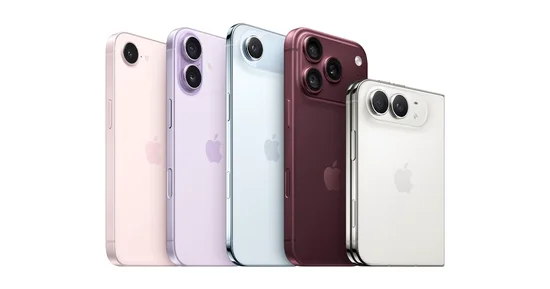
A hardware example is Apple iPhone family. The iPhone product photograph identifies a family of phones. The App Store evaluates the installed iOS version and device compatibility instead of the model’s appearance. Play a channel through the phone’s own speakers, using the network you intend to test. Read the player name and version before opening an AirPlay destination. A phone connected to headphones can also send sound away from the speaker you expect. In the case described here, the most informative observation is what happens immediately after the action you are testing. Keep the same device and input while reproducing it, so the publisher can recognize which part of the sequence changed.
Preparing a reply the right person can use
Ask “Are you trying to reopen an app that is already installed, or install it again on another device?” and include the system release and country with the actual response. Separate mobile playback from an AirPlay, Bluetooth or external-display problem by making one change at a time. If a support agent asks you to describe the account screen, name its visible fields and the button you selected. Those labels communicate the workflow without disclosing the contents of a private account.
Before repeating the test, keep one point of comparison from iPhone and iOS. A phone is a useful travel test when the hotel television has an unfamiliar store. Open the iPhone player first, then decide whether wireless transfer to the television is even being offered. Compare the same action under the original conditions first. If a second screen behaves differently, identify that device separately, say what it showed and note whether it used the same account and distribution source.
Questions and answers
Should I change my Apple Account country just to find a missing player?
Check the publisher’s availability for your device and actual country first. A genuine storefront move can affect account balances, subscriptions and payment details.